
A new starter needs access to shared files. A manager needs to work from another location. A customer needs an answer, but the application holding their details is unavailable. For growing businesses, these everyday situations reveal whether technology is keeping pace.
Cloud-based IT services can make systems easier to access, maintain, and expand. Yet moving everything online does not automatically improve performance or security. The value comes from choosing the right tools, setting clear controls, and having someone responsible for keeping them working.
Cloud-based IT solutions for the way your team works
Cloud services deliver applications, storage, and computing resources through remotely hosted infrastructure. Employees can use approved systems over an internet connection instead of depending entirely on equipment in the office.
That might mean Microsoft 365 document sharing, applications in Microsoft Azure, or secure virtual desktops. Each solves a different problem.
A business with sensitive local equipment may still need on-site systems. Another might benefit from moving most workloads to the cloud. A hybrid environment can connect both, preserving what works while improving access elsewhere.
Businesses should also confirm which systems must be available outside normal office hours. A cloud design that supports weekday document sharing may not meet the needs of a time-sensitive booking platform or an operation spanning multiple busy sites.

Microsoft 365 for everyday collaboration
Microsoft 365 supports shared documents, email, calendars and meetings across locations.
The important work sits behind the applications. User permissions, device policies, multi-factor authentication and retention settings all need attention. Without these, employees may struggle to find information or gain access they no longer require.
Azure, AWS and hybrid infrastructure
Some organisations rely on applications that need dedicated computing power, custom configurations or links to equipment on site. Azure and AWS can host suitable workloads, while hybrid cloud designs connect hosted resources with existing systems.
Check application compatibility, network requirements, and performance first. Moving a poorly configured server can simply relocate the problem.
Virtual desktops and protected business data
Virtual desktop infrastructure can give employees controlled access to a work environment from different approved devices. It may be useful for distributed teams or roles that require a consistent application setup.
Cloud storage is not a substitute for backup. Synchronised files may still be lost to accidental deletion or ransomware. Recovery plans must protect critical information.
Cloud IT solutions that support business growth
The most useful gains are often practical. New employees can be given access through a defined process. Teams opening another site can connect to established systems. Managers can review capacity without immediately purchasing more hardware.
Flexibility still requires planning, clear ownership, and regular checks.
More predictable operations and spending
Cloud subscriptions can reduce some upfront hardware costs, but expenses depend on licensing, storage, usage, and support. Unused accounts, oversized resources, and forgotten services can quietly increase monthly spending.
Budget for migration, management, security, backup, and retained on-site equipment. Assign someone to approve spending changes.
Stronger continuity when something goes wrong
A damaged laptop should not mean losing the only copy of an important document. A local power failure should not automatically prevent every employee from working. Well-designed cloud-based IT solutions can reduce these points of dependence.
They do not remove outages entirely. Internet connectivity, provider incidents, and account lockouts can still interrupt work. Keep tested backups, documented recovery steps, and alternative ways to communicate when your primary systems are unavailable.
Security remains a shared responsibility
Cloud providers secure important parts of their infrastructure, but customers remain responsible for many decisions about accounts, devices, data, and configuration. Treating security as something the platform handles entirely leaves avoidable gaps.
Start with multi-factor authentication and the principle of least privilege, so each person receives only the access needed for their role. Remove access promptly when employees leave and review permissions when responsibilities change.
Protect connected devices, monitor unusual activity, and document sensitive data locations. UK organisations must also consider UK GDPR and relevant sector requirements.
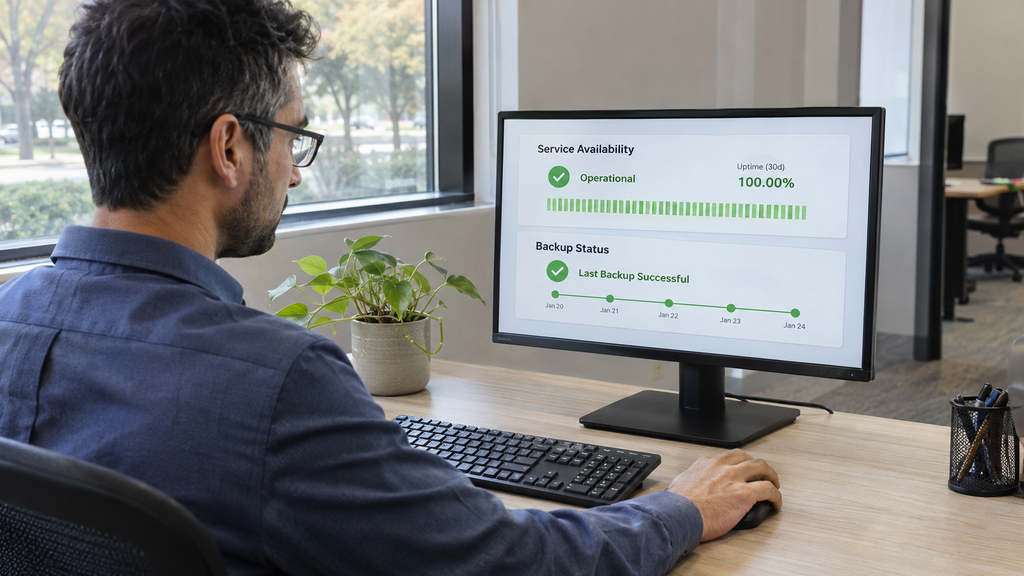
An effective security plan includes recovery. Confirm what is backed up, where copies are stored, who can restore them, and how often recovery is tested. A backup that has never been restored provides limited reassurance.
A sensible plan for moving to cloud-based IT services
A rushed migration can cause avoidable interruptions. Use a staged plan to check dependencies and test changes.
Review the systems you already use
List critical applications, files, devices, suppliers, and users. Identify which services are outdated, which must stay on site, and which could benefit from cloud hosting. Record any contractual, compliance, or integration requirements before deciding what to move.
Set priorities and test before switching
Choose measurable outcomes, such as quicker onboarding, simpler remote access, or improved recovery times. Test a limited group of users first, particularly when applications depend on specialist software or older equipment.
Plan the changeover, agree who will provide support, and maintain a rollback option where feasible. Communicate expected disruption well ahead of time so staff can prepare.
Train users and keep reviewing
Show employees where to store files, how to request access and how to recognise suspicious sign-in requests. After migration, check performance, security alerts, support requests and monthly spending.
Cloud IT solutions should evolve with the business. An annual review alone may not catch rapidly changing licensing needs or new security risks, so schedule regular checks with clear responsibilities.

Choosing support for your cloud environment
A cloud partner should explain the trade-offs, not simply recommend moving everything. Ask who owns your data, what support includes, how incidents are escalated, and what happens if you change providers later.
At iceConnect, we design, migrate and manage cloud environments for businesses in London, including Microsoft 365, Azure, AWS, hybrid cloud and virtual desktop services. Our cloud services also cover data protection and storage, while our managed IT services support the devices and systems your employees rely on every day.
We can help you create a migration plan that covers costs, security responsibilities, and ongoing support in plain English.
Build a cloud setup that works beyond the migration
Cloud adoption is not complete when the final file has moved. The real measure is whether employees can work reliably, leaders can manage costs, and the business can recover when something fails.
Well-managed cloud-based IT services help growing organisations add people, collaborate and protect essential systems.
Speak to iceConnect about your current environment and the next steps towards a more reliable cloud setup.
Frequently asked questions
Are cloud-based IT services suitable for small businesses?
Yes. Smaller businesses can use hosted email, files, backup, and applications without maintaining all infrastructure themselves. Choose services based on team size, software, budget, and security needs. Start with a specific problem.
Are cloud-based IT solutions secure enough for sensitive information?
They can be, provided the services are configured and managed properly. Encryption, multi-factor authentication, restricted access, monitoring, and tested backups all matter. Businesses handling regulated information should also confirm contractual protections, data locations, and relevant compliance obligations before migration.
Can cloud IT solutions work with our existing servers?
Yes. A hybrid cloud environment can link hosted applications with on-site systems. This is useful when specialist software, hardware, or business processes cannot move immediately. Compatibility, connectivity, identity management, and backup arrangements should be assessed before connecting the environments.
Will moving to the cloud reduce our IT costs?
Not automatically. Lower upfront equipment costs may be offset by subscriptions, usage, support, and migration. Compare your current total costs against a realistic cloud plan, then review spending regularly.